AGROWTEK GrowControl GCX Cultivation Control System Instructions

Using Google Gmail
Gmail requires an “app password” to be generatred to allow applications to use the account.
To generate app passwords, the account must have two-factor authentication enabled.
- Log into your google account (manage your account) and select “security.”
- Locate the “Signing in to Google” panel and click “2-Step Verification”. Follow the prompts to turn on 2-step verification.
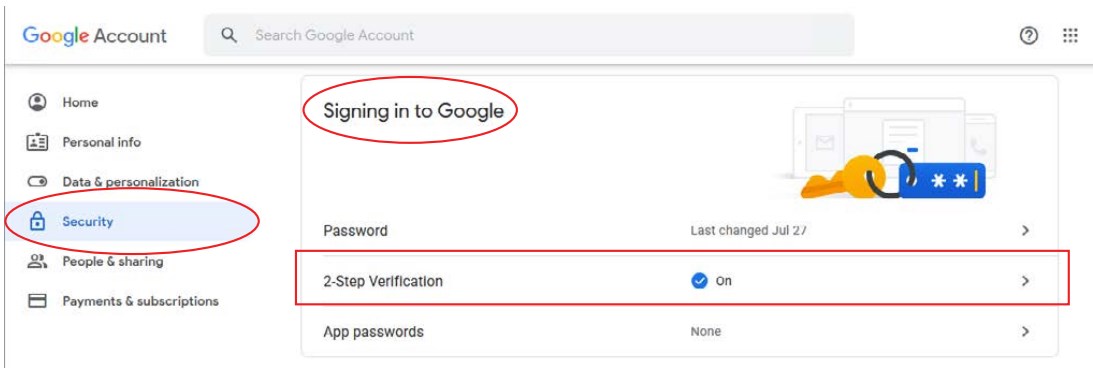
- An app password may now be created; click “App passwords”

- From the “Select app” drop-down, choose “Mail.”
- From the “Select device” drop-down, choose “Other (custom name).”
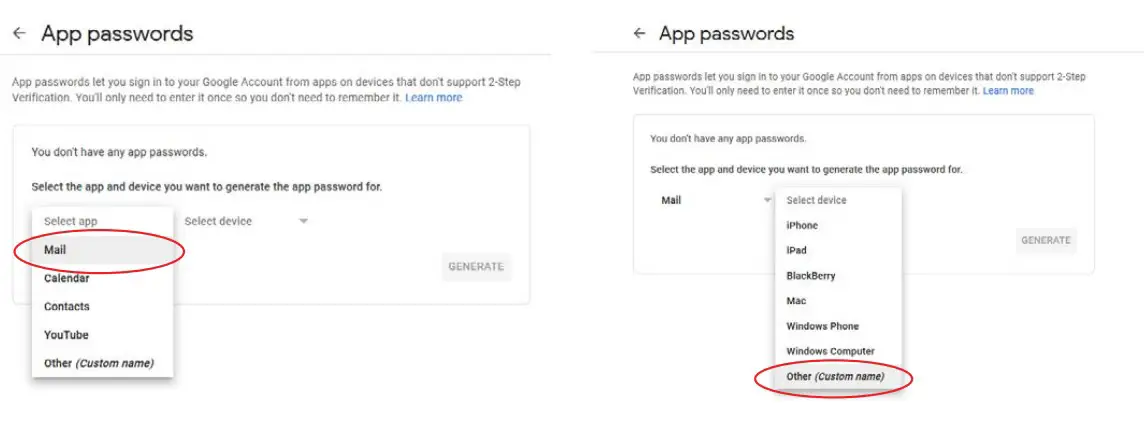
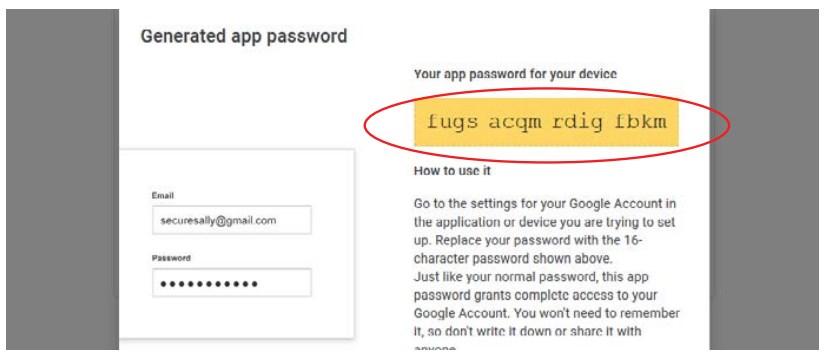
- Enter a name for reference, then click the “GENERATE” button to create the app password.

- Use the password in the yellow box in place of your account password in the email account settings.